five(9)s Console 5.2 was released on Apr 28th, 2026.
This version brings new improvements and features to improve user experience and make it more user-friendly.
What's new?
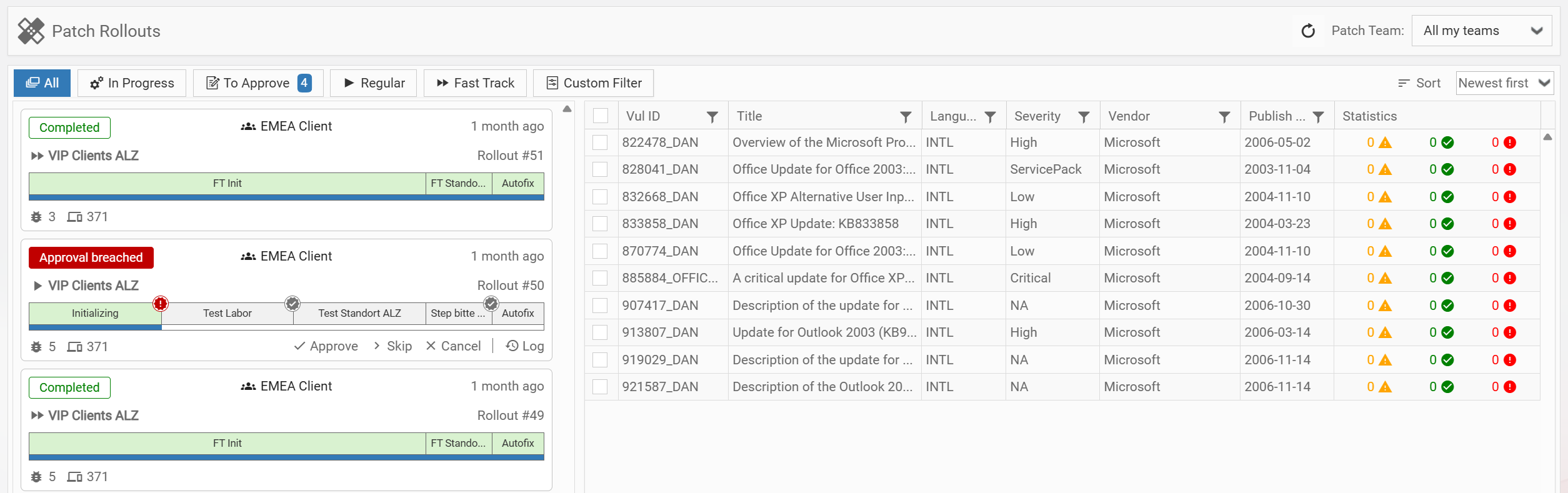
1. Advanced Patch - Unified Rollout View
A combined view for approvals and rollouts. Visual Cards with color-coded status for quick prioritization and direct actions in context. Clear rollout progress and critical states at a glance, especially with many rollouts. Additionally you can now pre-approve rollouts in case of planned user absences or few online devices. In case of urgent patches you can also skip pilot phases to get the patch out as quickly as possible.
2. Windows Cumulative Updates
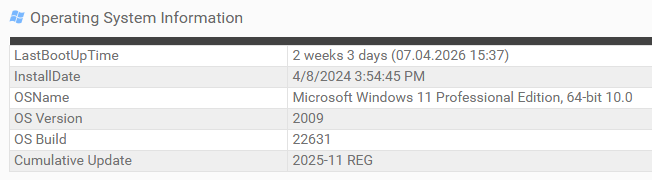
Windows Cumulative Updates are monthly patches released by Microsoft on every second Tuesday of the month (Patch Tuesday) containing important security and stability fixes. For every Windows device we now have the ability to show its latest installed Cumulative Update in various sections like Computer Information or Quick Inventory. On the Advanced Patch Dashboard we also show the latest available Cumulative Updates, as well as outdated devices. It is also possible to perform a CSV export of the full Cumulative Update data per Windows device.
3. Improved Linux Support for Console
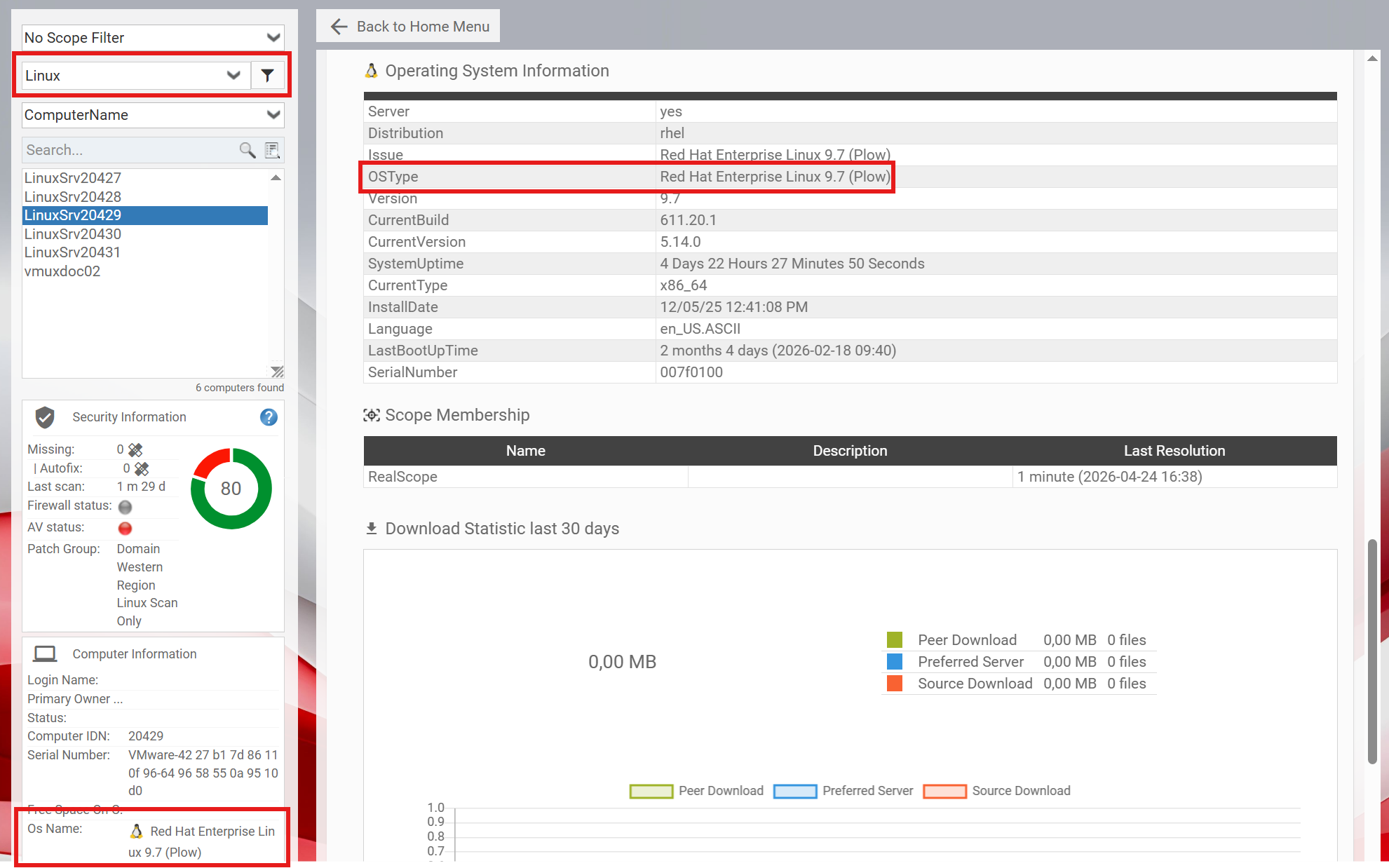
We have improved the visibility and search support for Linux related information in the console. Which should help to better separate OS specific issues and vulnerabilities.
This includes the following improvements:
- Home Computer Search now supports Linux operating systems
- Smart Filters extended for Linux-based filtering
- Last boot time is now available for Linux devices in Computer Info
- AdvPatch KPI exports include operating system information, including Linux support
4. Home - device software inventory search
Console users can now search devices by:
- Software publisher
- Software name
- Version number
You do not need to create a query or work with the desired state. Instead you can create a Smart Filter and find devices with specific software installed or missing in seconds. This helps you to consolidate software or identify unauthorized software quickly.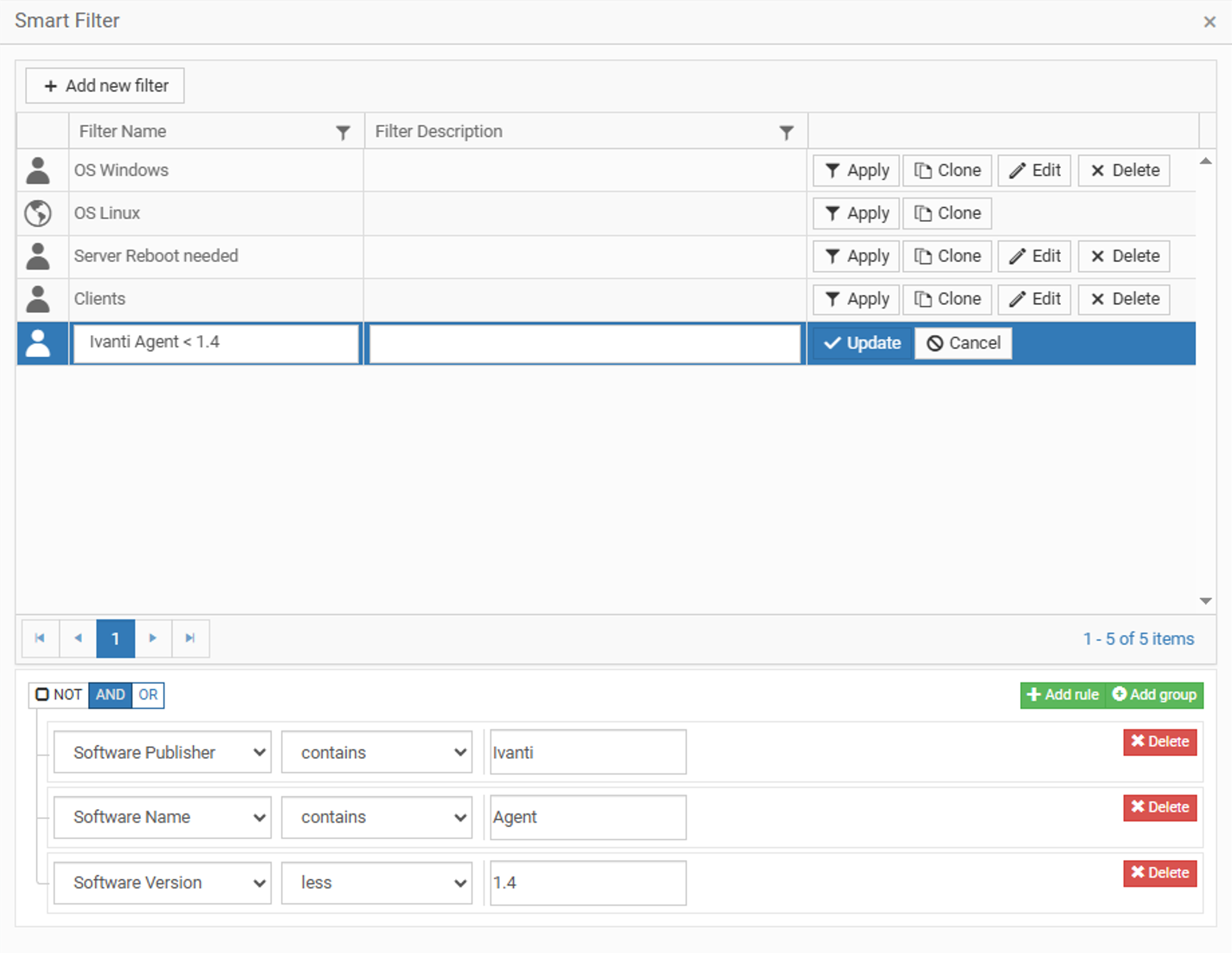
5. Endpoint Insights - Improvement
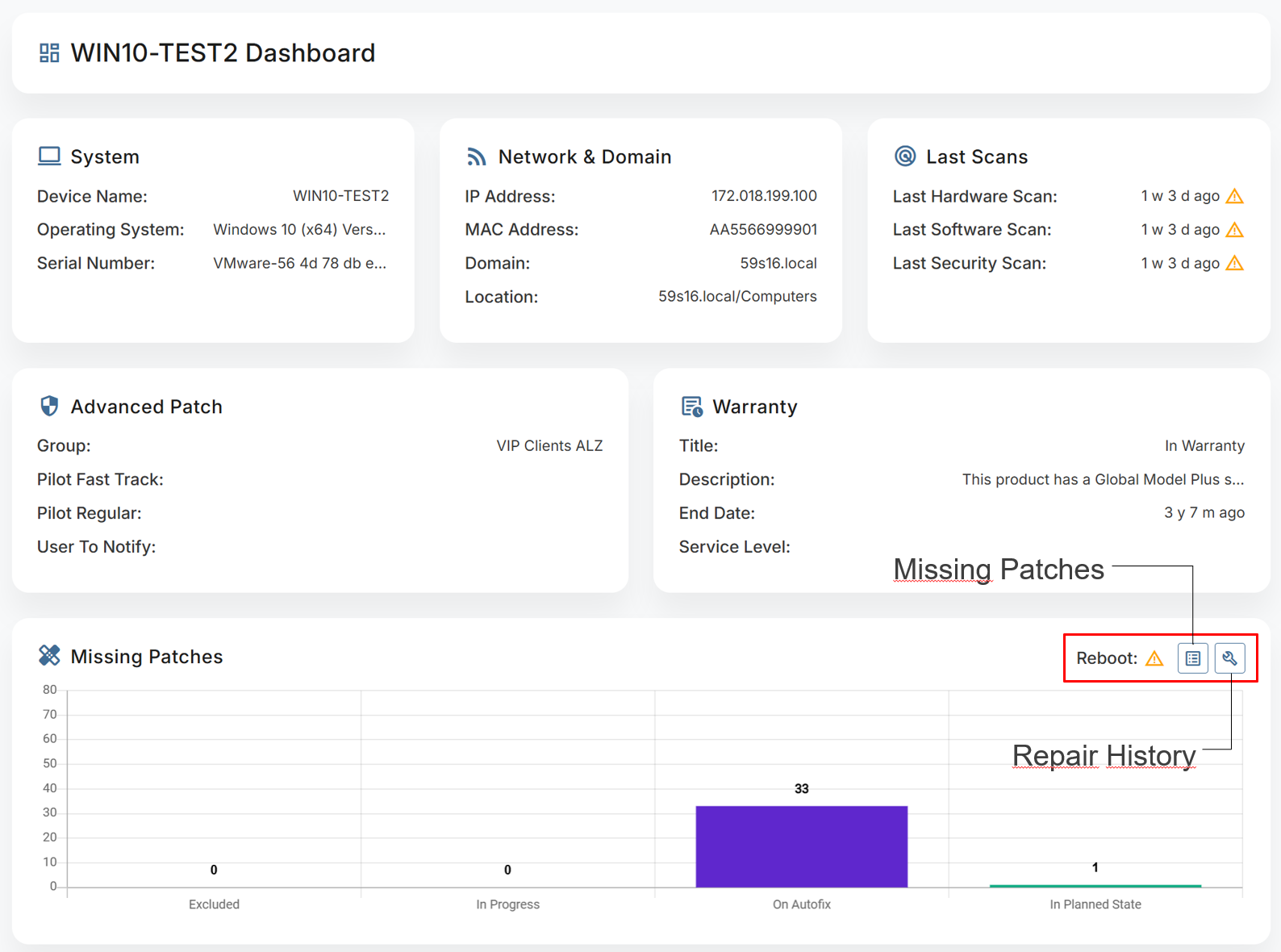
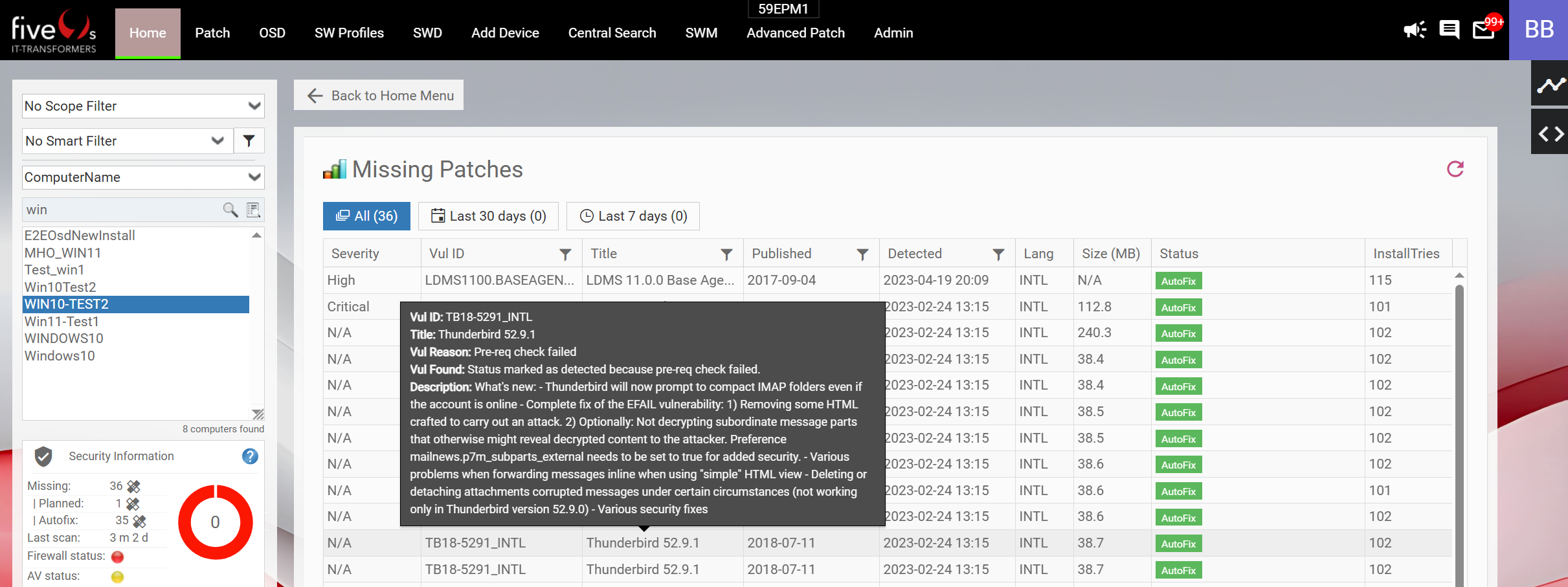
Added missing patches and repair history information to device details. This helps you to quickly check if a patch is missing or failed. The missing patches view (Endpoint Insights and Home) now also includes: filename, number of install attempts, vulnerability reason and vulnerability found description.
6. Download Statistic - CSV Export
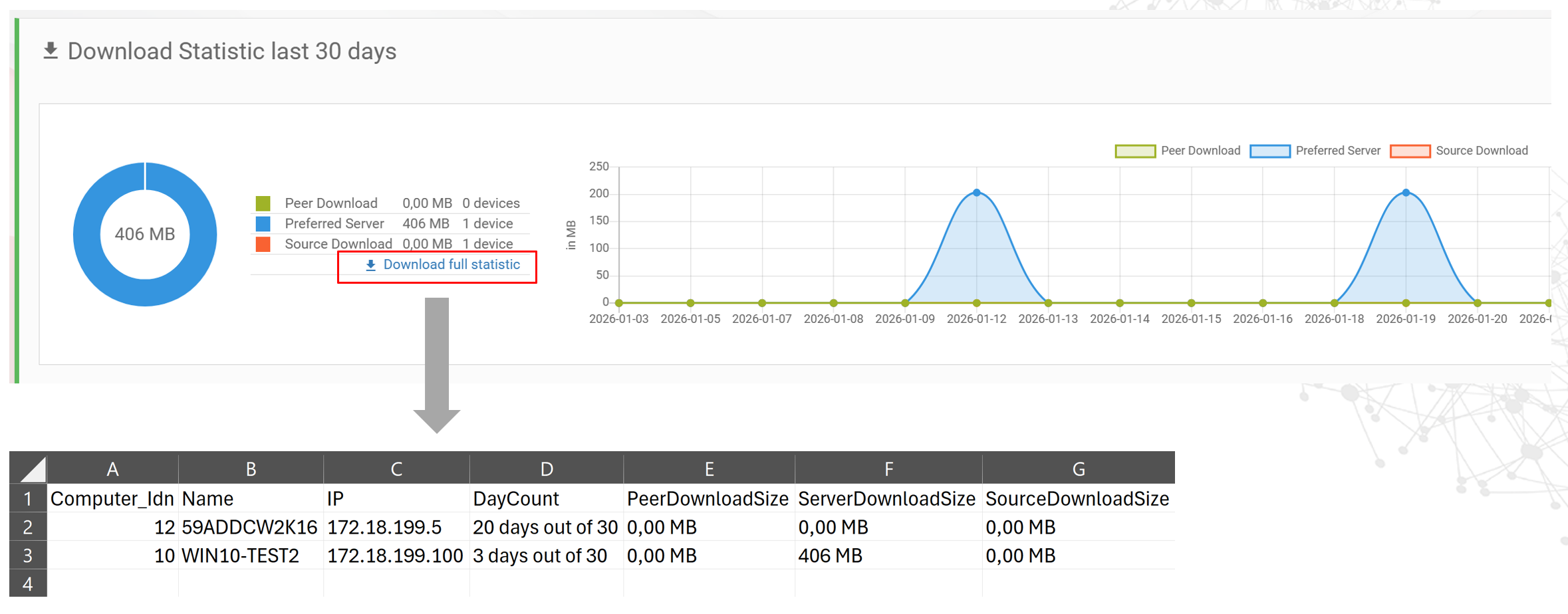
The export link is somewhat hidden, but it provides detailed statistics with a breakdown down to the device level.
7. Mailing - Custom Mail Subject
Mail subjects can now be defined directly in the template. This allows flexible, customer-specific subject lines without changing default behavior.
Example: <title>Example Subject for %DEVICENAME%</title>
If no custom subject is set, the standard subject is used. Variables from the template can also be used in the subject.

8. Central Search - Visual & Layout Improvements
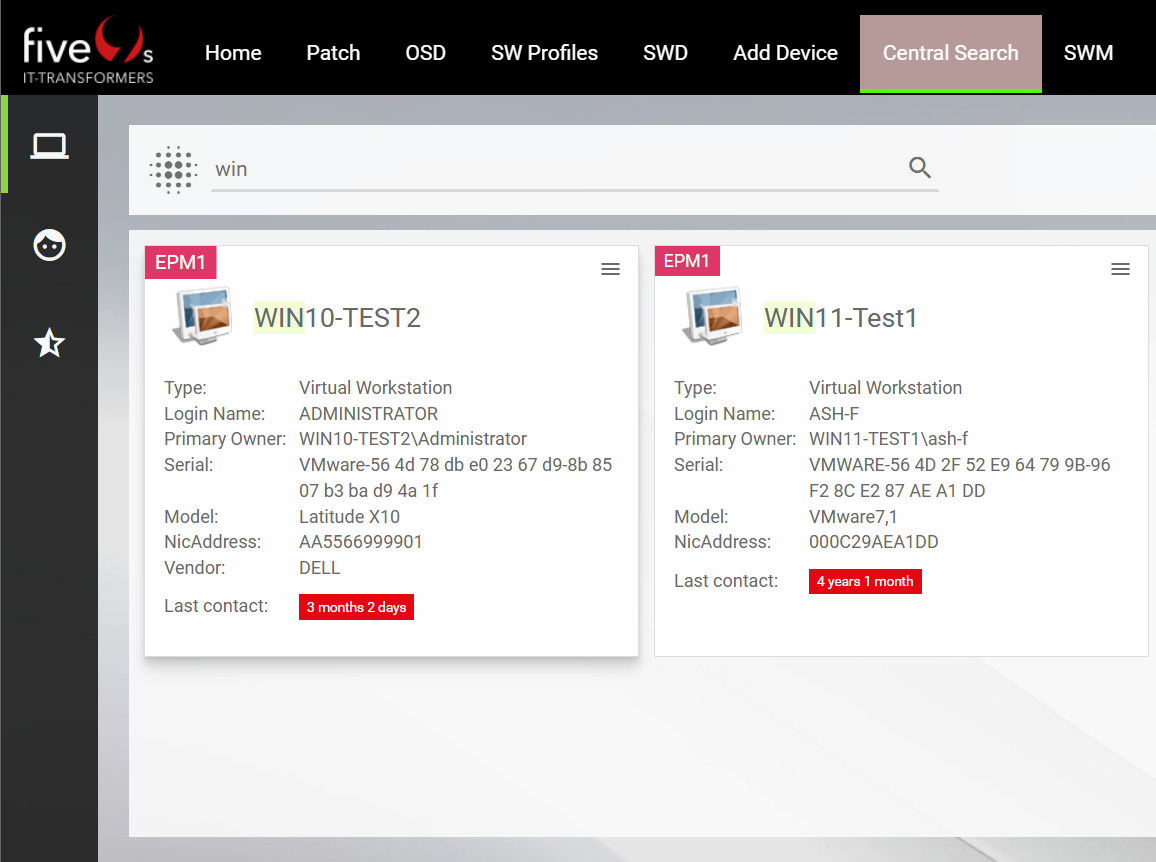
Central Search has been improved for a clearer and more stable layout. Overall usability and readability are improved, especially when working with larger datasets. Expanding a user no longer disrupts the layout, making navigation smoother and easier to follow.
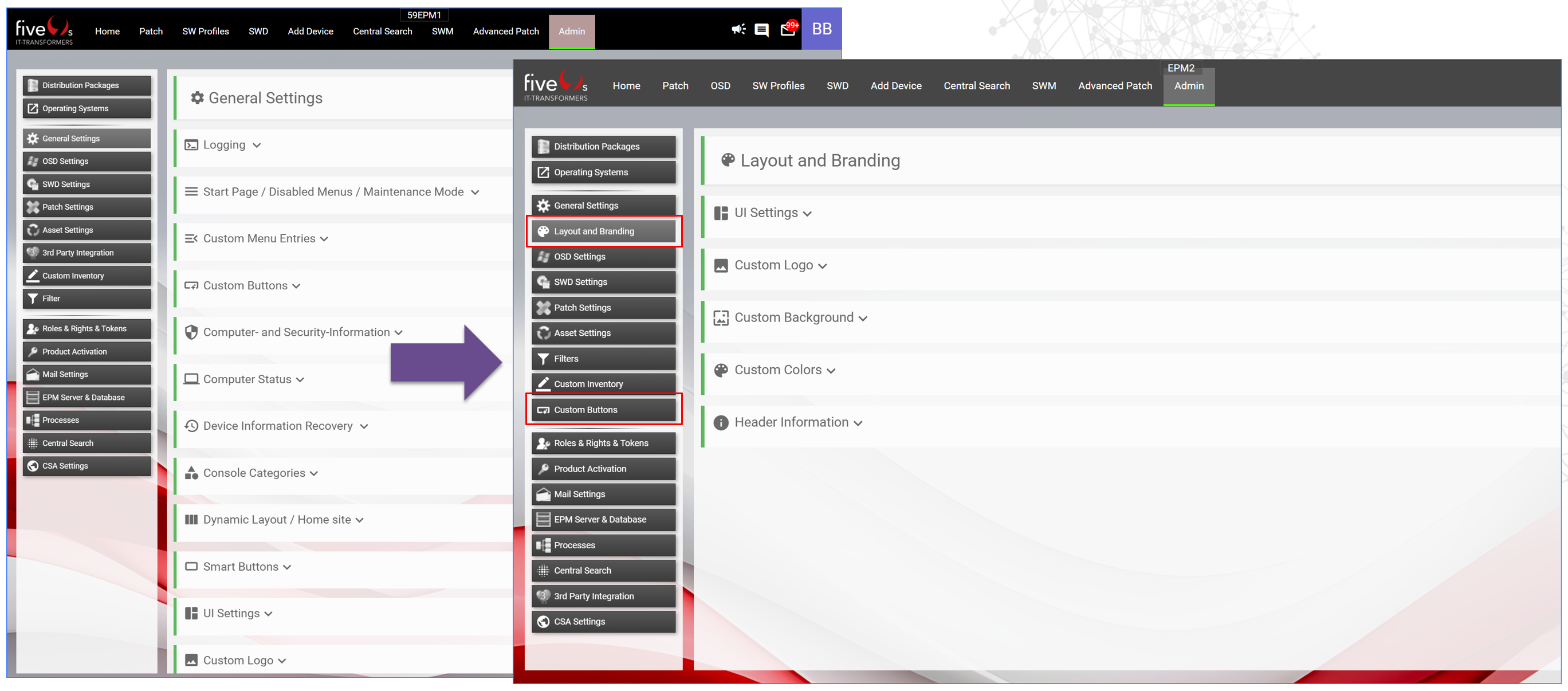
9. Admin - menu improvements
Clear separation of branding and functionality. Better orientation in the admin area. Dedicated sections for settings.
10. Vulnerability API
Provides API endpoints for getting vulnerability-related information:
- Vulnerability_idn
- Vul_ID
- Language
- Title
- Description
- Severity
- Type
- Vendor
- etc...
This API can be used alongside the Device API to extend information about vulnerabilities detected on a device. Check the online documentation for Vulnerability API
11. Additional changes
- Admin - CleanUp tile numbers are now better readable. E.g. 2,5 million.
- Admin - Added CleanUp alerts for devices with invalid hostnames, with duplicate serial numbers.
- Admin - Device Recovery can now include OS config.
- Home - Button Background can now be configured to be transparent.
- Home - Missing patches compliance column is now hidden but can be enabled if needed.
- Home - Device Provisioning History now shows the Execution Result in a tooltip.
- Performance - Improved user access caching.
General Information
How to obtain five(9)s Console
Supported EPM Versions
EPM 2021.1
EPM 2022
EPM 2024
Installation / Upgrade
For a more detailed documentation please consult our quick start guide
Upgrades
• We always strongly recommend to create
    ◦ a Database backup of the EPM DB
Licensing
Important Note
We strongly recommend to evaluate the five(9)s Console on a test system. Additionally, we suggest you make a backup of your system prior any updates.
CentralSearch Customers
CentralSearch requires that all five(9)s Consoles reporting into the same CentralSearch DB having the same patch level to ensure consistent data structure. Please do not mix up CentralSearch DB for test environment and production environment.
Document information
Disclaimer
Was this article helpful?
That’s Great!
Thank you for your feedback
Sorry! We couldn't be helpful
Thank you for your feedback
Feedback sent
We appreciate your effort and will try to fix the article