five(9)s Console 5.3 was released on Oct 4th, 2026.
This version brings new improvements and features to improve user experience and make it more user-friendly.
What's new?
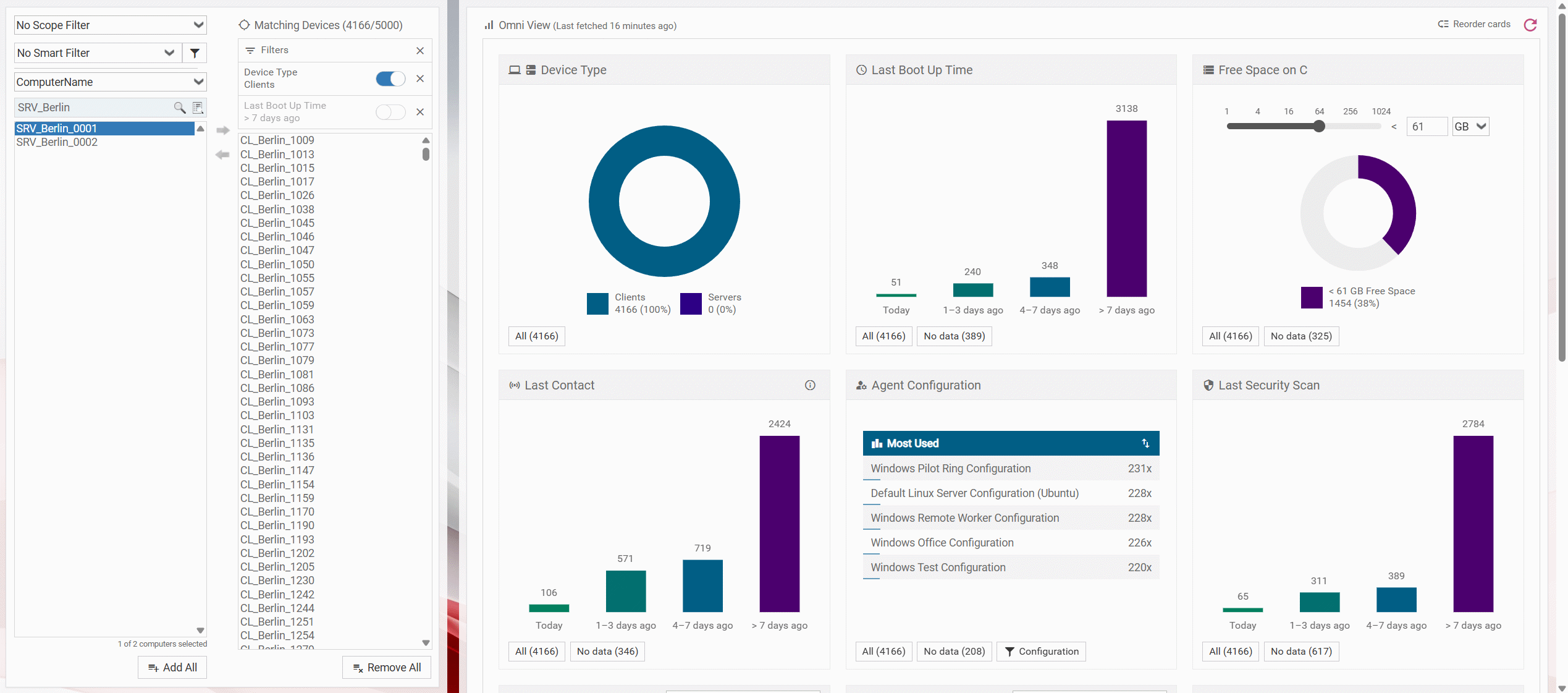
1. Omni View for Device Inventory
View and compare the inventory of multiple devices to find inconsistencies or anomalies. All critical information in one location. You can easily find devices that do not have enough space for updates or are missing crucial Windows Cumulative Updates.
Summarize and filter by:
- Device type: client/server
- Patch Inventory / Custom Inventory
- Cumulative Updates
- OS version
- Preferred Server
- Hardware specs
- Free space on C
- Reboot Required
- Boot Up Time
- Last contact
- Last security scan
- Installed software (coming soon)
More benefits of using this feature:
- Improved decision making
- Risk assessment
- Superior troubleshooting
- Time savings
- Export as CSV for reporting
2. AdvPatch - Rolloutview Search
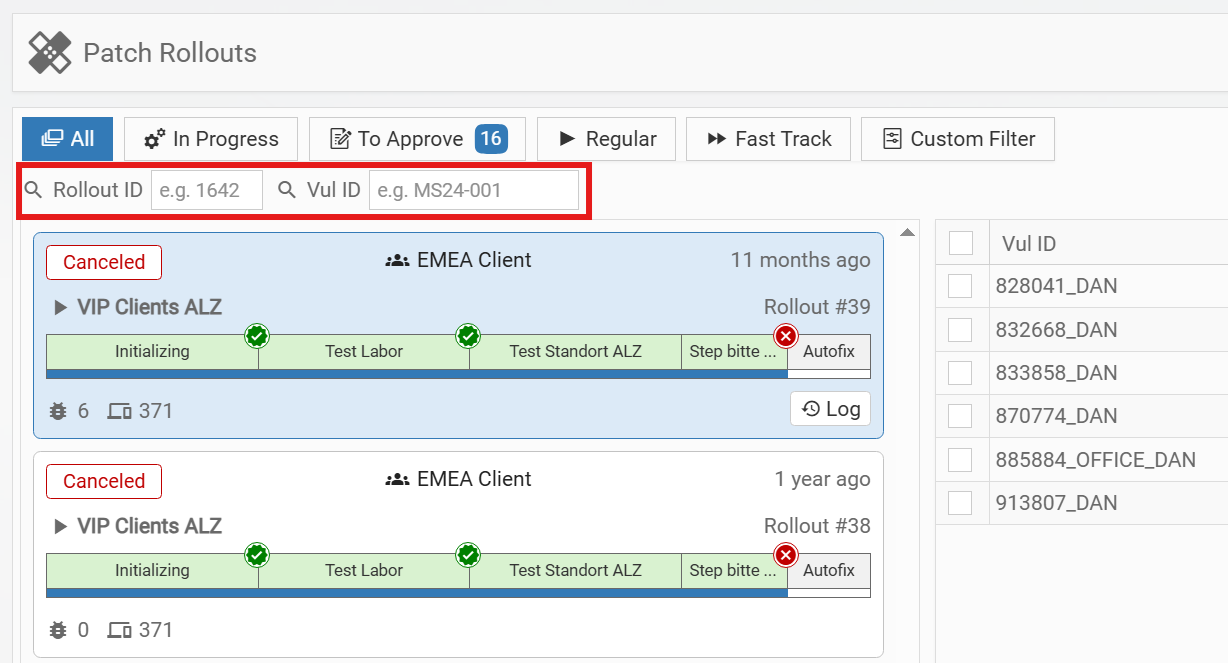
Rollout IDs and Vulnerability IDs can now be searched directly in the Rollout View, making it easier to find and track deployments. This is especially useful when you need to pause and investigate a vulnerability included in multiple rollouts.
3. Home - Show MacOs Version
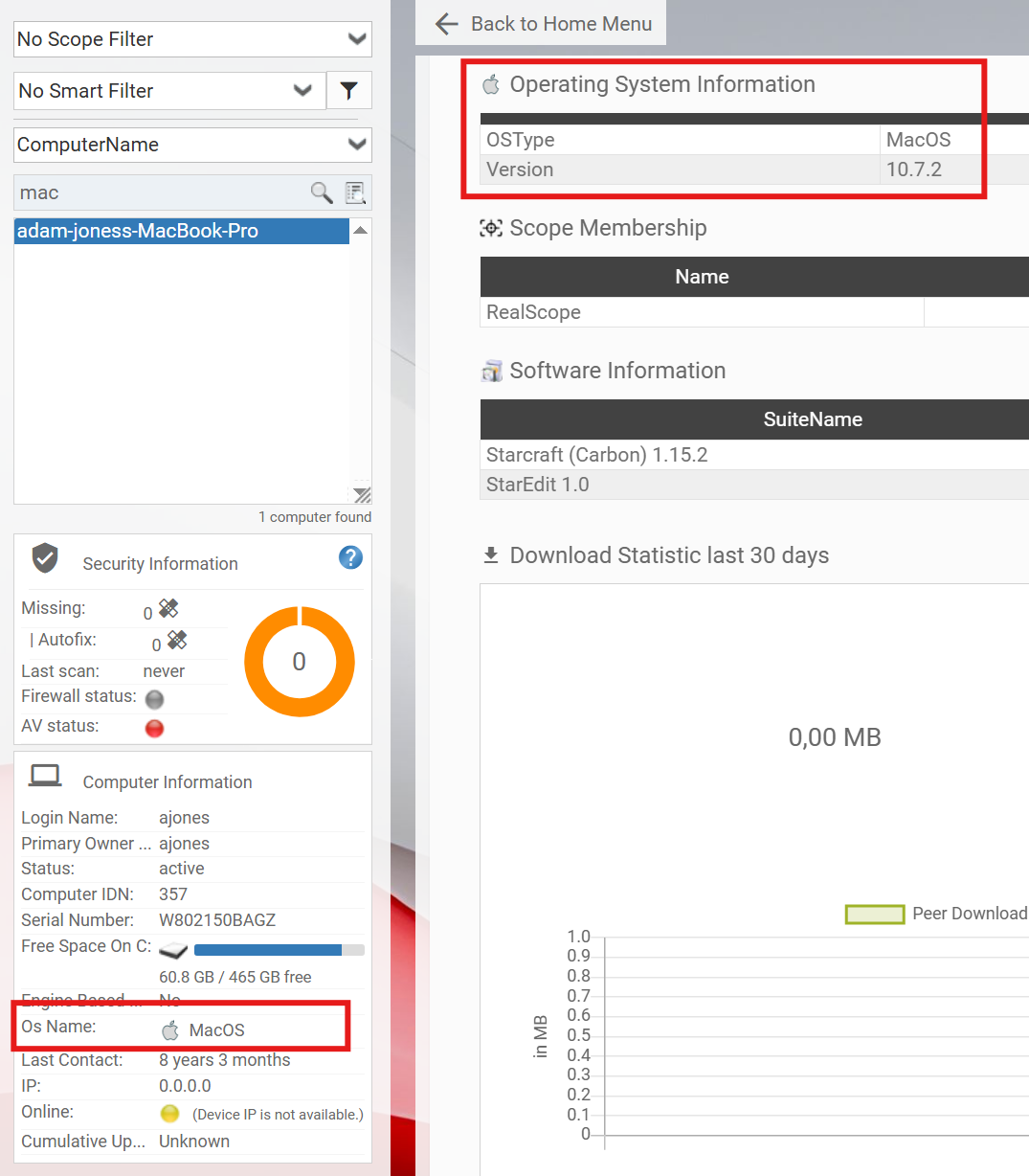
The Device Info panel and the Quick Inventory now show more information about the Operating System of MacOs devices. This improves visibility across Apple platforms and enables better device management decisions.
4. SWM - Rule Creation and Assigned Devices (sponsed by Hansgrohe)
Manual Software Mapping has improved the creation of rules. You can select an unconfigured mapping and create a rule based on its specifications. You can also check which devices have the manually mapped software installed.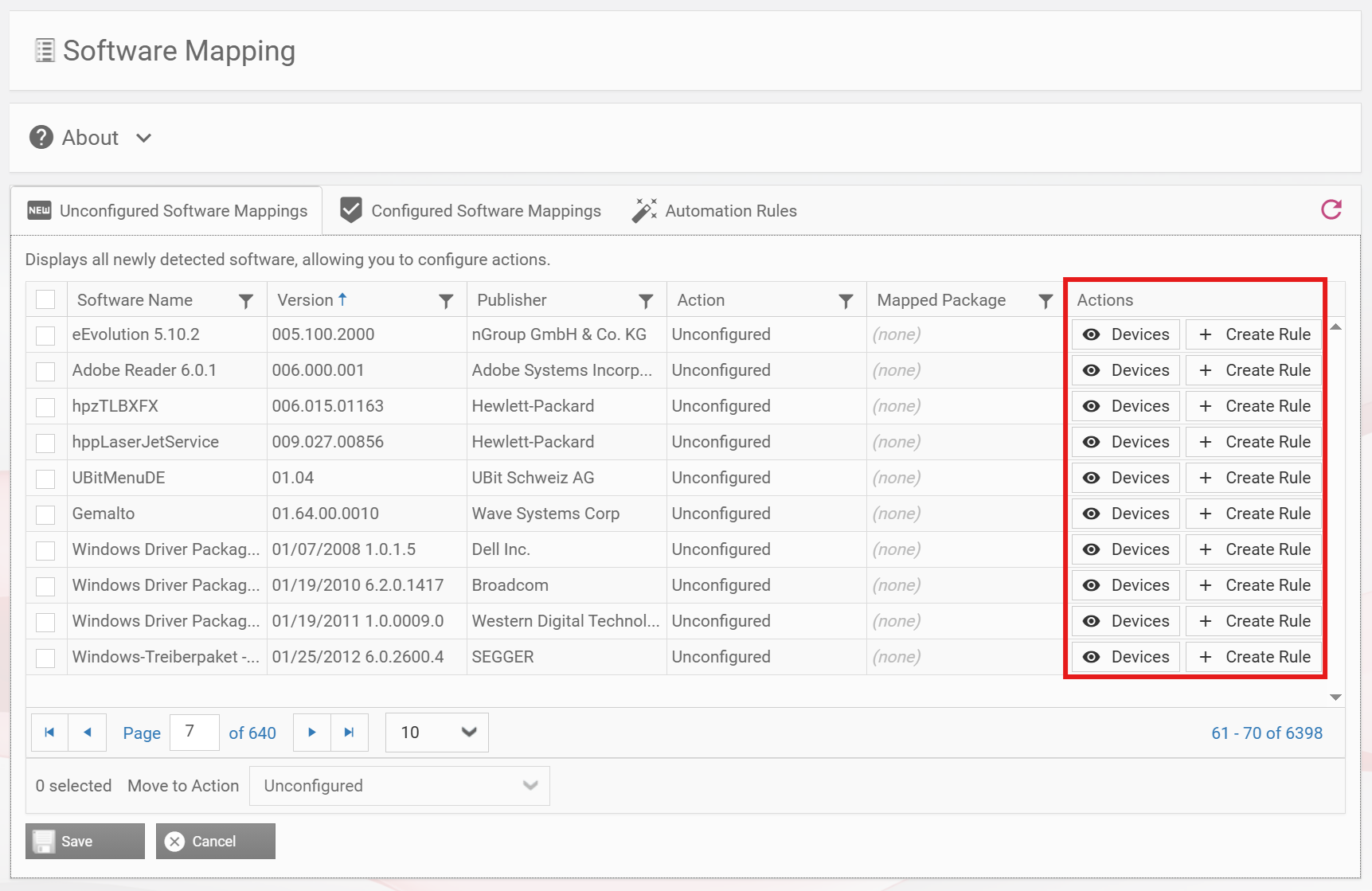
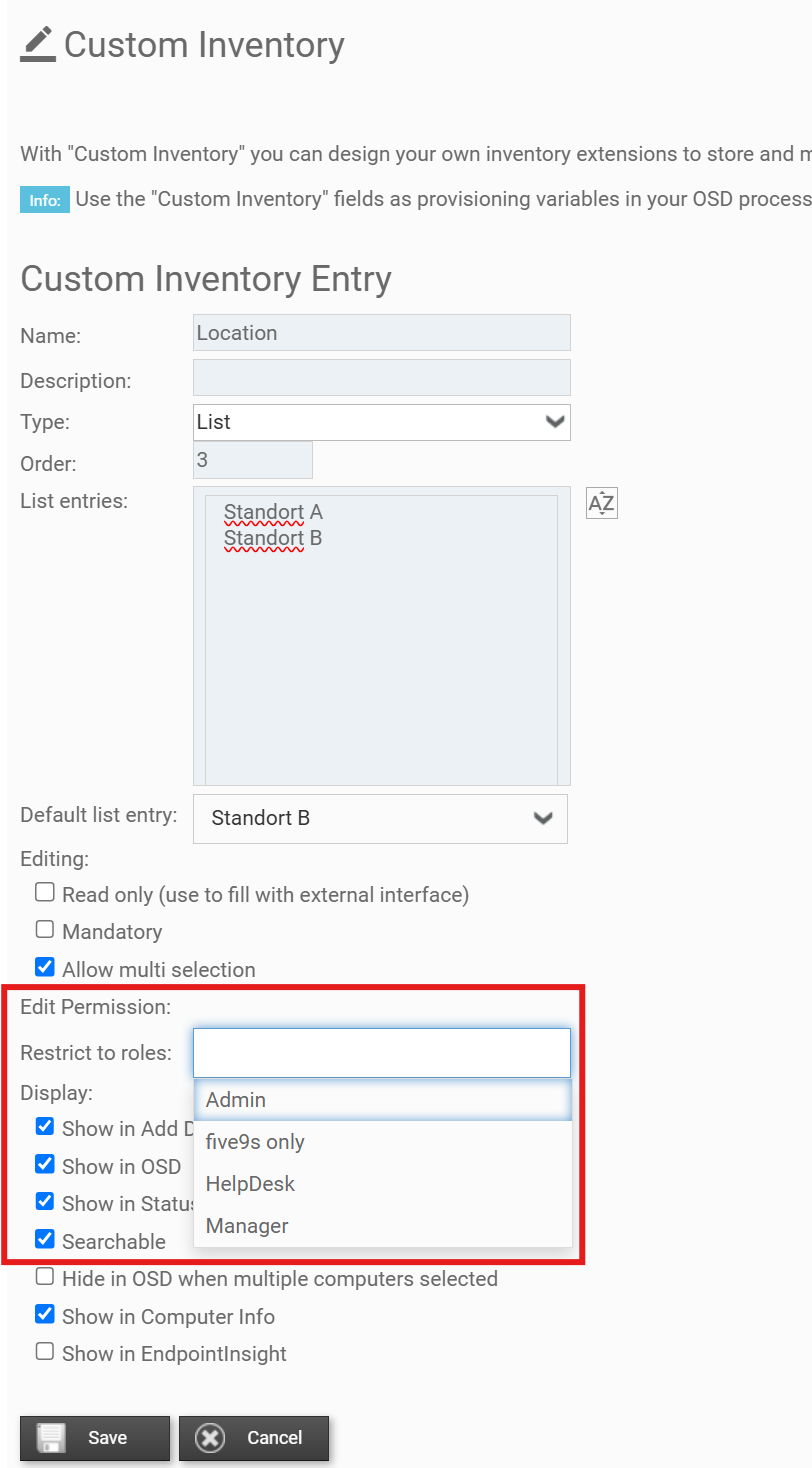
5. Custom Inventory - Access Rights (sponsed by Hansgrohe)
Each custom inventory field can be restricted to a set of RBA-Group(s). Only those can then edit the respective CI field. This helps you ensuring only your helpdesk or admins edit your vital information.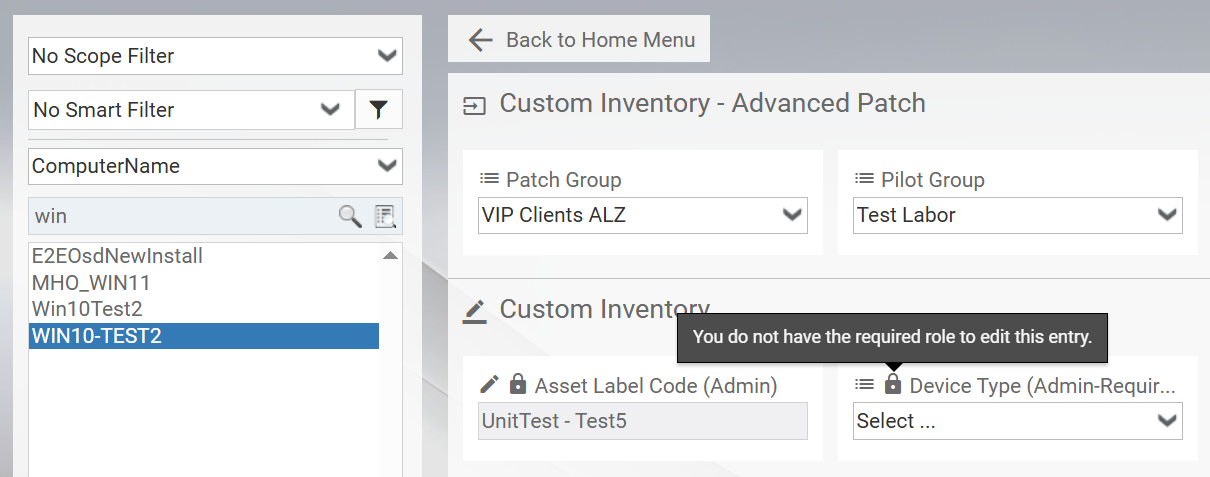
6. Advanced Patch - Default Patch Group for Linux (sponsored by TUI)
A default Patch Group can now be configured separately for Linux client and server devices. It is automatically assigned to devices that are missing a Patch Group. This ensures that all devices are properly scheduled for patching.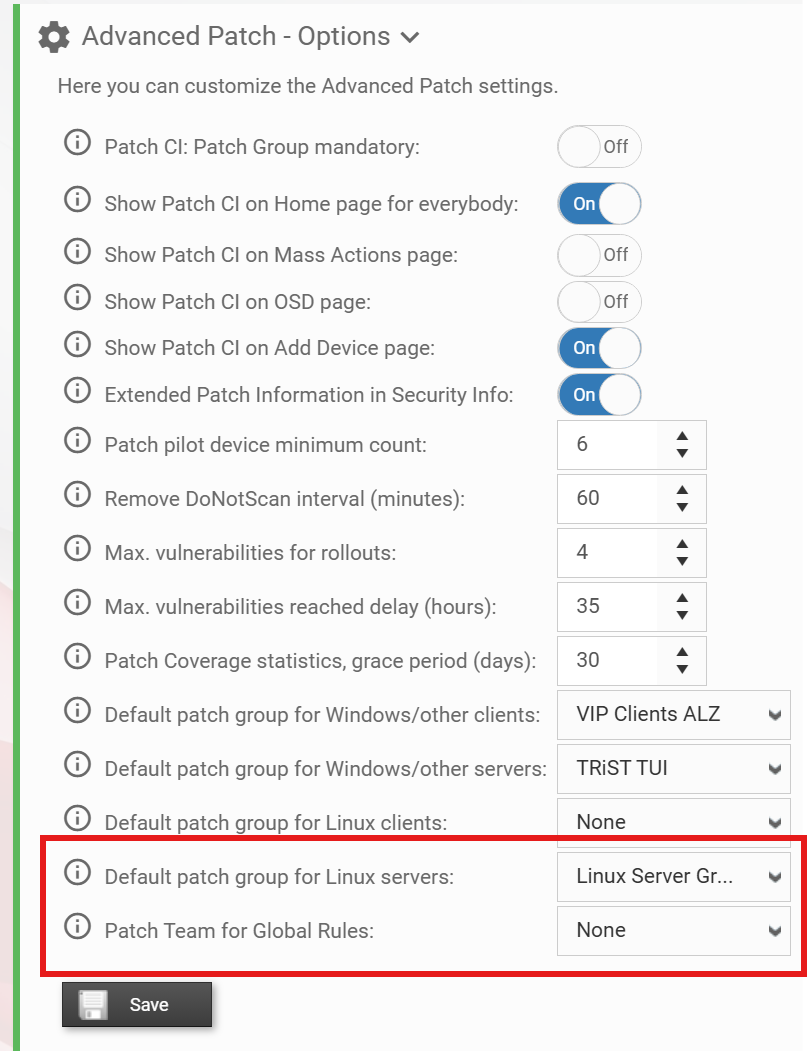
7. DeviceAPI | Cumulative Update
Added information about the Windows Cumulative Update currently installed on the device. That helps third-party applications to check for missing critical monthly patches. Which results in reducing security vulnerabilities and preventing security breaches among your devices.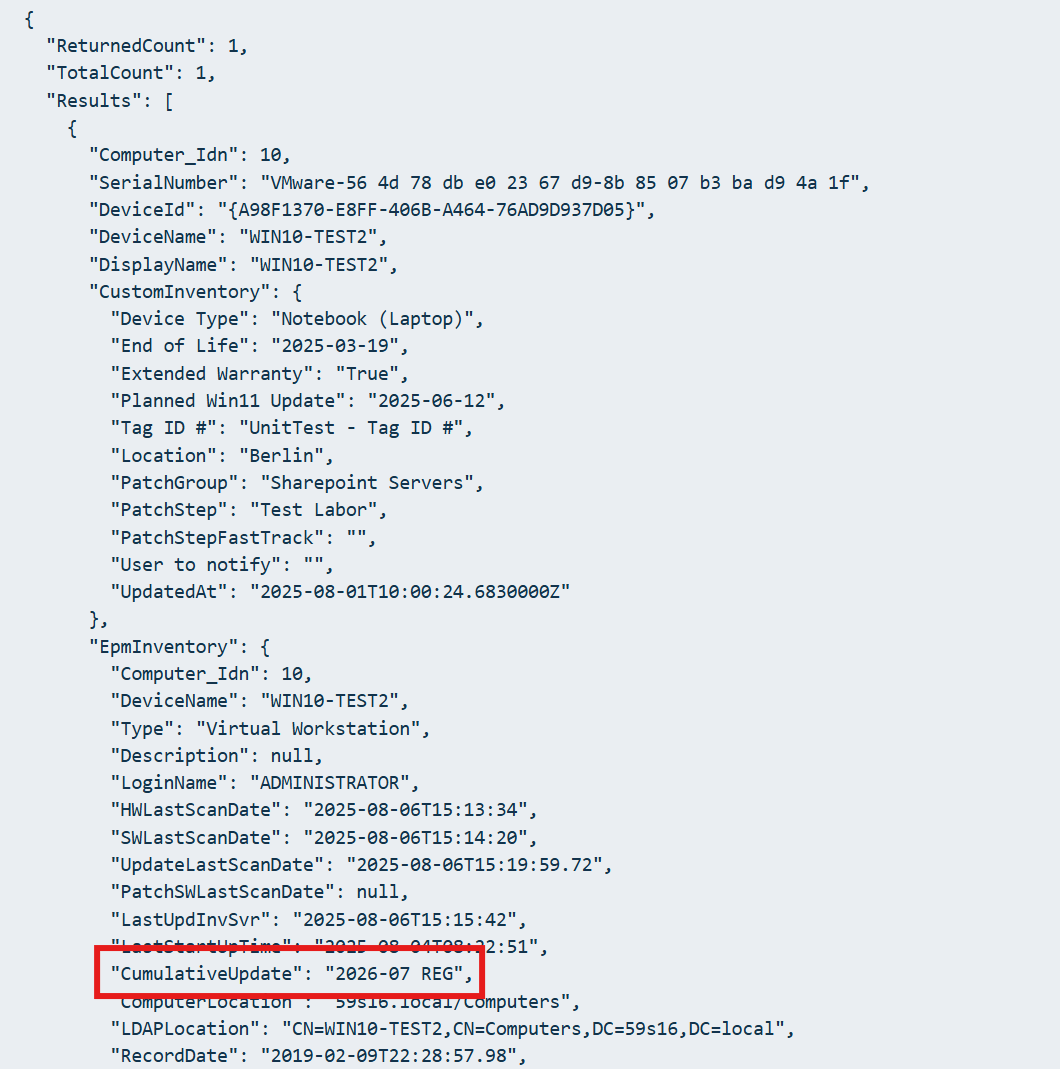
8. VulnerabilityAPI with SupercededState
The Vulnerability API now includes tracking for superseded vulnerability states. This enables better vulnerability management for third-party applications.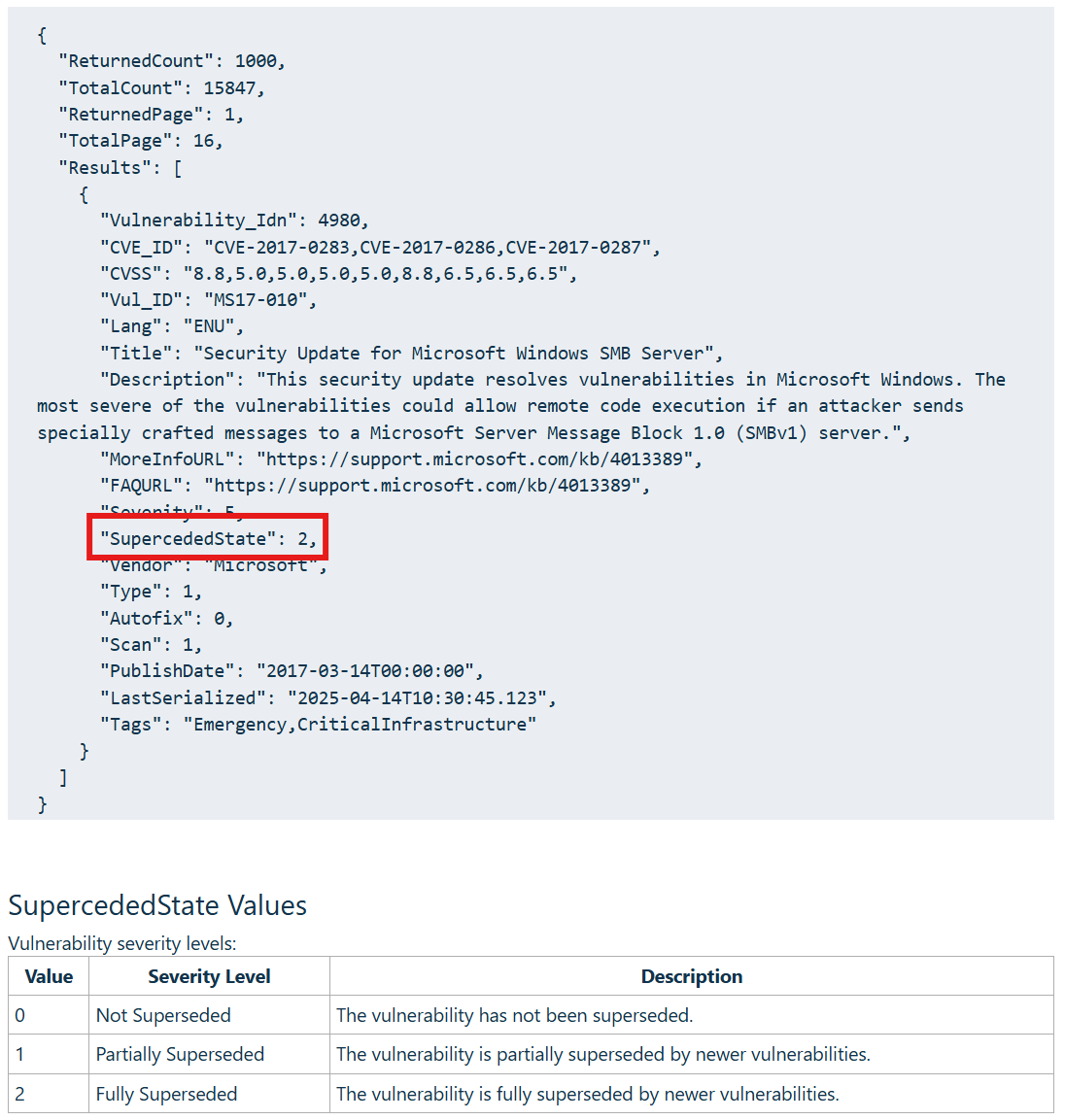
9. SMTP | OAuth Support for Email Configuration
Email notifications now support modern OAuth authentication, replacing deprecated Basic Authentication. This improves security and ensures compatibility with modern email providers and authentication standards.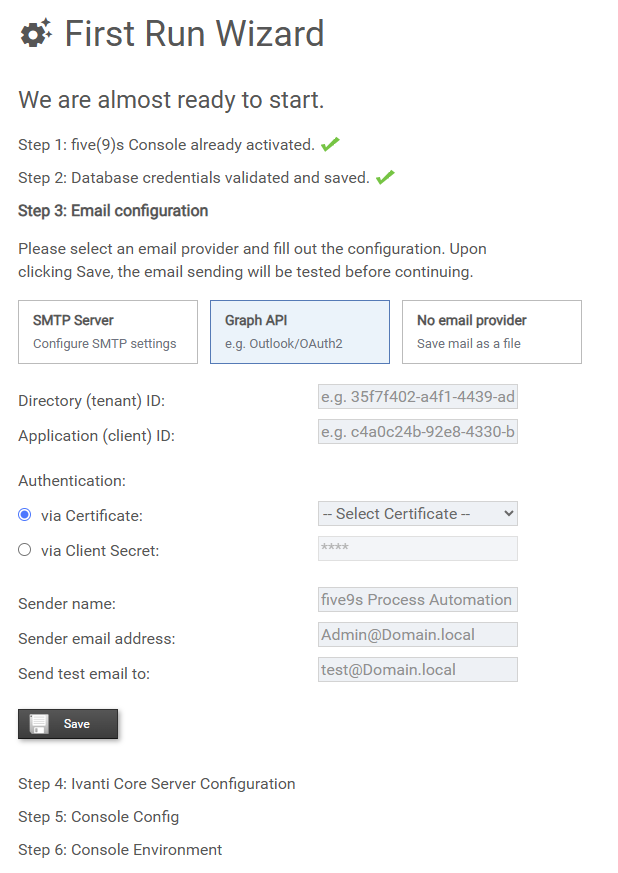
10. FirstRunWizard | Configuration Without Email SMTP
Admins can now set up the system without requiring SMTP email configuration. Beneficial for restricted or test environments where email notifications are not needed.
11. ComputerInfo | Reboot Needed
The system can now display the required reboot under the computerinfo. This can be useful if you want to disable the security information part in the computer search but want to retain the reboot information.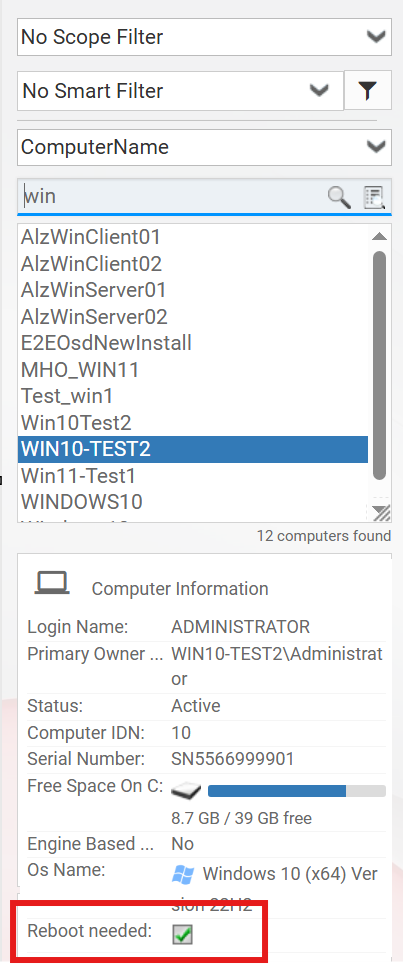
12. Additional changes
- Remote Control | Grant specific users permission to override Local RC vs Web RC settings
- AdvPatch Suspended Vulnerabilities timeline | See time remaining on suspended vulnerabilities
- Home Device List | Improved filter usability and performance
- Advanced Patch App Tour | A short guided tour helps new users understand Advanced Patch
General Information
How to obtain five(9)s Console
Supported EPM Versions
EPM 2021.1
EPM 2022
EPM 2024
Installation / Upgrade
For a more detailed documentation please consult our quick start guide
Upgrades
• We always strongly recommend to create
    ◦ a Database backup of the EPM DB
Licensing
Important Note
We strongly recommend to evaluate the five(9)s Console on a test system. Additionally, we suggest you make a backup of your system prior any updates.
CentralSearch Customers
CentralSearch requires that all five(9)s Consoles reporting into the same CentralSearch DB having the same patch level to ensure consistent data structure. Please do not mix up CentralSearch DB for test environment and production environment.
Document information
Disclaimer
Was this article helpful?
That’s Great!
Thank you for your feedback
Sorry! We couldn't be helpful
Thank you for your feedback
Feedback sent
We appreciate your effort and will try to fix the article