Even as one prefers Single-Sign-On, there might be a reason to login to the five(9)s Console with a different user account other than the user currently logged on at the local system.
Example: You are logged in as with your normal user account which has no permissions on Ivanti Endpoint Manager and no corresponding device scope. For some reason you need to login to five(9)s Console with another account (Admin-Account) each time you open an administrative solution or product.
For those scenarios, it is possible to use a Windows internal feature to enable a different login for five(9)s Console:
Example: You are logged in as with your normal user account which has no permissions on Ivanti Endpoint Manager and no corresponding device scope. For some reason you need to login to five(9)s Console with another account (Admin-Account) each time you open an administrative solution or product.
For those scenarios, it is possible to use a Windows internal feature to enable a different login for five(9)s Console:
Change Internet Explorer Settings
Open Internet Explorer and go to Settings -> Internet Settings. Change to the Security Tab.
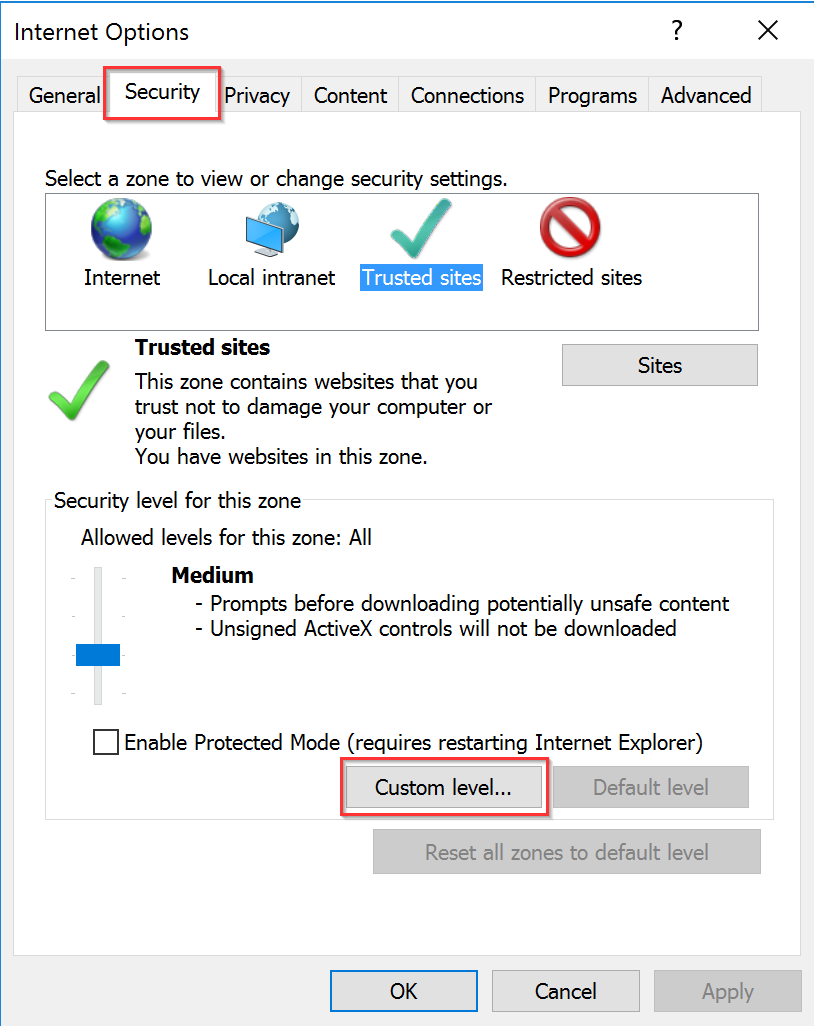
Select the zone (Internet, Local intranet, Trusted sites) where five(9)s Console was added to by your System Administrator and click on "Custom level...".
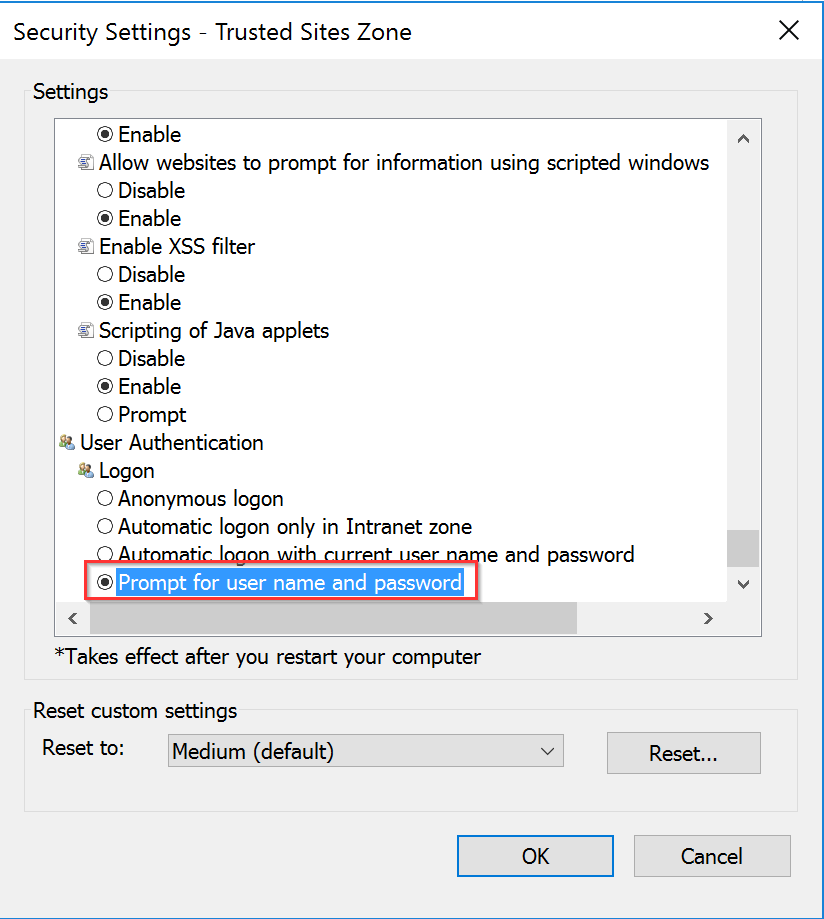
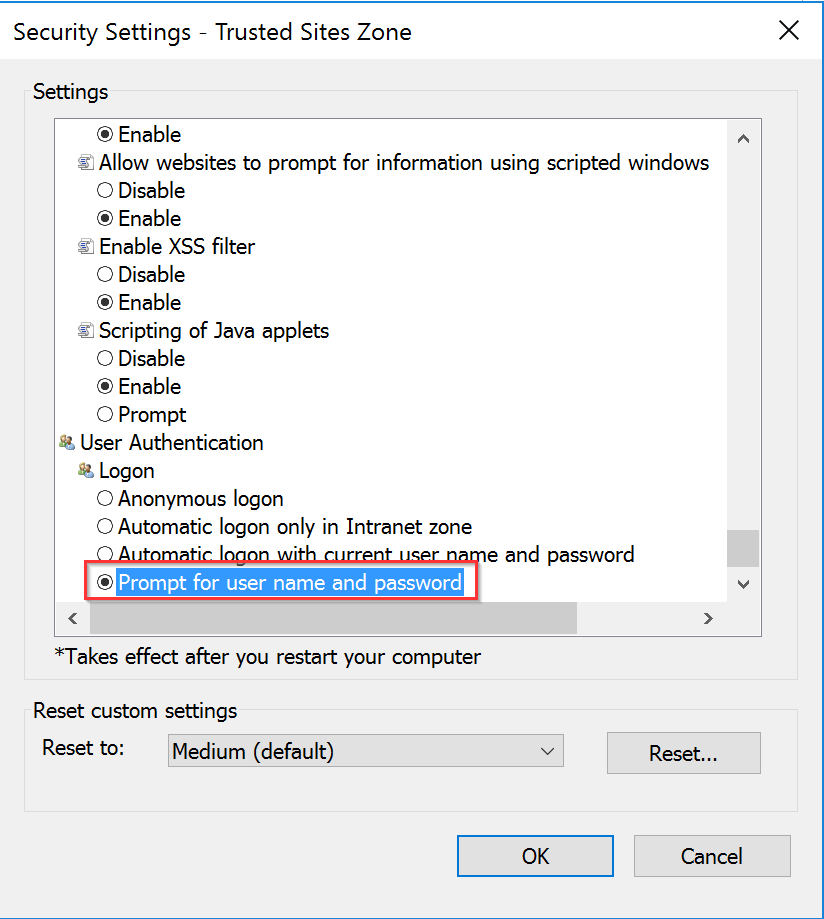
Scroll down to the "User Authentication" section and select "Prompt for user name and password". Leave the dialog with "OK".
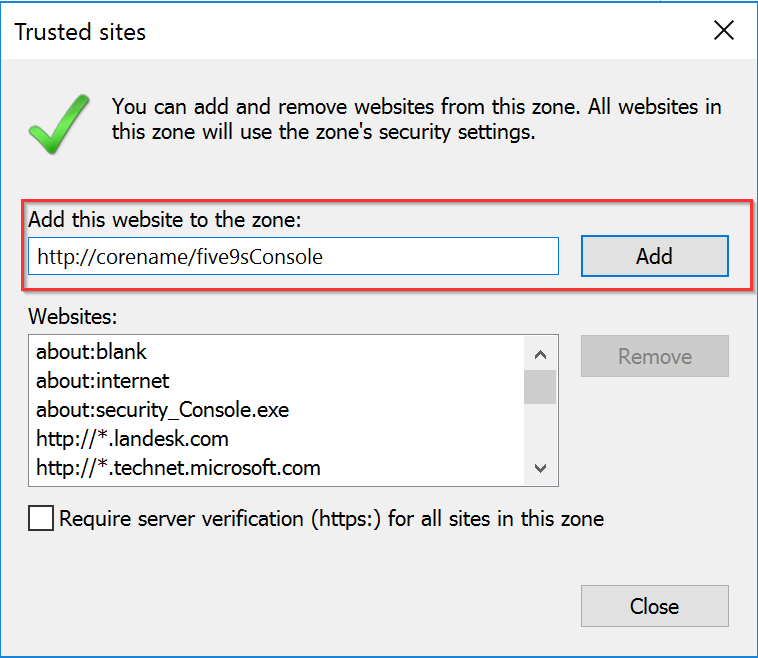
If the console was never added to a security zone before, select "Trusted sites" and click on "Sites" first. Enter the Console-URL to the string field and click on "Add". Proceed with the two steps above.
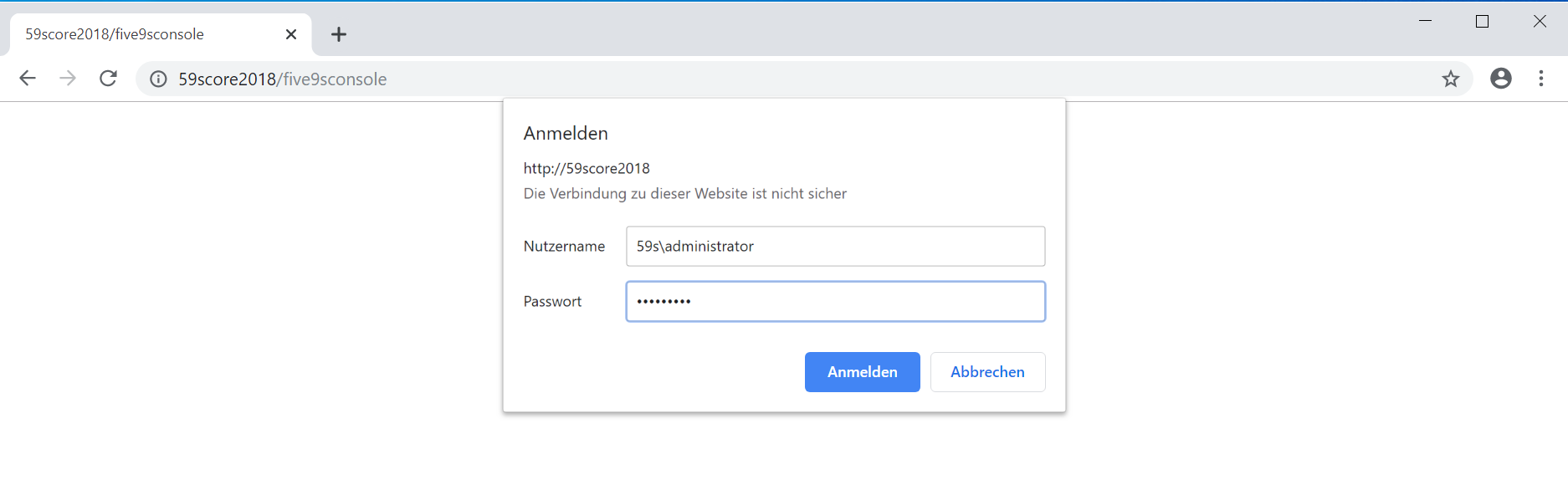
As Google Chrome uses Internet Explorer settings as well, you will see a login window now for five(9)s Console.
Last Modified Date
04.05.2023
Disclaimer
Even though every care has been taken by five(9)s GmbH to ensure that the information contained in this publication is correct and complete, it is possible that this is not the case. five(9)s GmbH provides the publication "as is", without any warranty for its soundness, suitability for a different purpose or otherwise. five(9)s GmbH is not liable for any damage which has occurred or may occur as a result of or in any respect related to the use of this publication. five(9)s GmbH may change or terminate this publication at any time without further notice and shall not be responsible for any consequence(s) arising there from. Subject to this disclaimer, five(9)s GmbH is not responsible for any contributions by third parties to this publication.
Was this article helpful?
That’s Great!
Thank you for your feedback
Sorry! We couldn't be helpful
Thank you for your feedback
Feedback sent
We appreciate your effort and will try to fix the article