There is a bug in Ivanti EPM 2024 SU3 that can cause the passwordless authorization of Remote Control to fail.
Note: This bug is fixed starting in EPM 2024 SU4.
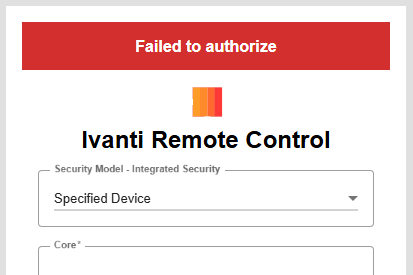
To work around this bug, a URL Rewrite can be configured in the IIS Manager of the EPM core server.
Configuring the URL Rewrite
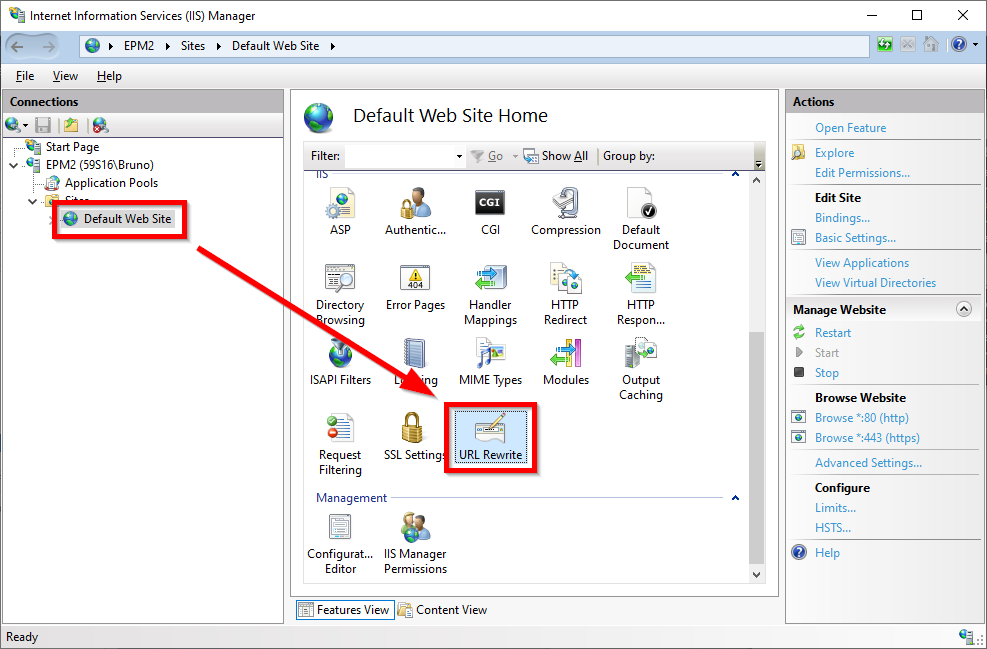
Open the IIS Manager on your core server and select the Default Web Site and open the URL Rewrite dialog:
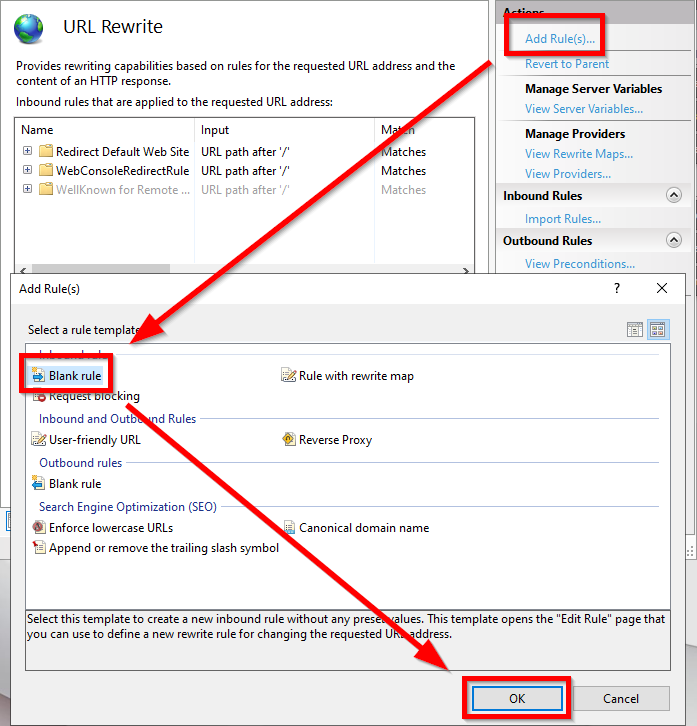
Add a new blank inbound rule:
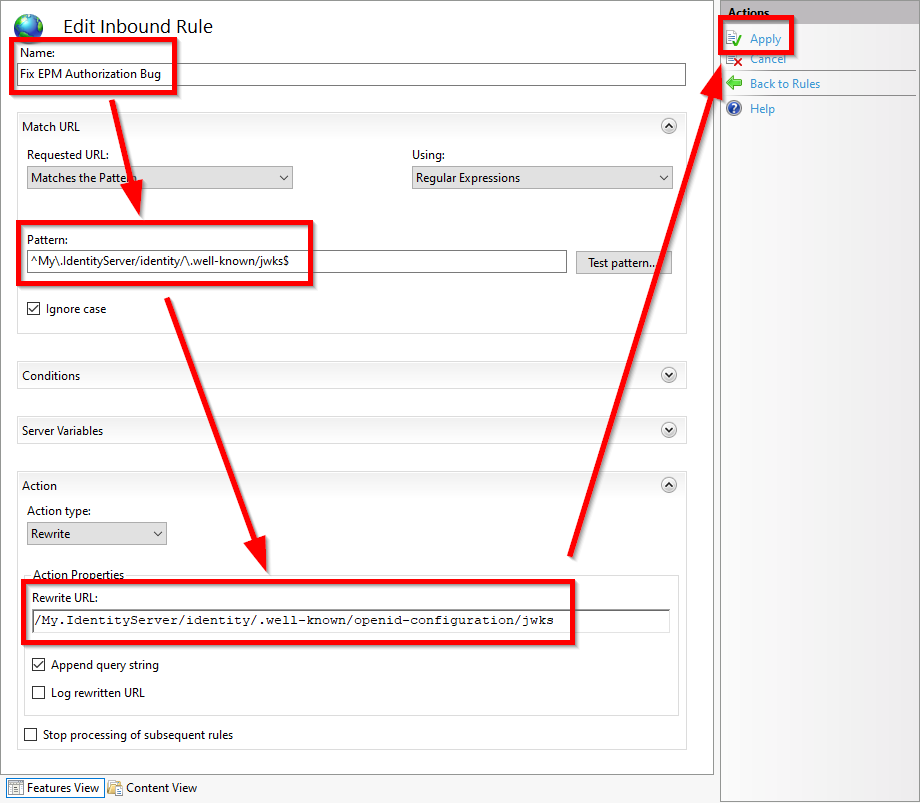
Give the rule any name, for example "Fix EPM Authorization Bug" and use the following configuration:
Pattern:
^My\.IdentityServer/identity/\.well-known/jwks$Rewrite URL:
/My.IdentityServer/identity/.well-known/openid-configuration/jwksAnd then click Apply.
That's it. Now the rewrite rule is created and the passwordless Remote Control Authorization should be fixed.
If you later want to remove this URL Rewrite, you can open the URL Rewrite dialog again, select the name of your rule, and click "Remove".
Please note that the user needs the corresponding Basic Web Console right in Ivanti EPM.
Was this article helpful?
That’s Great!
Thank you for your feedback
Sorry! We couldn't be helpful
Thank you for your feedback
Feedback sent
We appreciate your effort and will try to fix the article